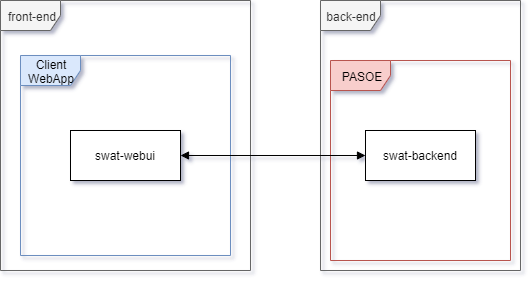
Front-end - Back-end interaction:
Basic hybridRealm authentication. The PASOE validates the provided credentials (username & password) directly, using the ISwatAuthenticationService.
Front-end - Back-end interaction:
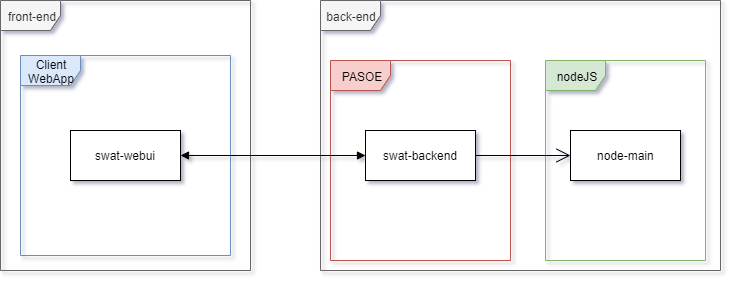
Note: node-main is hidden from the client.
TBD by Sergiu Morar / Sebastian Lucaciu
In order to use the existing AkiomaUser and/or ActiveDirectory authentication/s, the <AllowedAuthentication> property must be present in the pasoe_config.xml / OEPAS_config.xml configuration file.
The AllowedAuthentication property is a comma separated list, containing enabled authentication methods. Default value is "AkiomaUser".
Example:
<AllowedAuthentication>AkiomaUser,ActiveDirectory</AllowedAuthentication> |
The property is checked, during the authentication processes, if the current authentication is allowed.
Example for AkiomaUser check:
    METHOD PROTECTED VOID CheckIsAllowedAkiomaUserAuth():
        IF LOOKUP("AkiomaUser", SessionManager:AllowedAuthentication) EQ 0 THEN
            UNDO, THROW NEW Exception("AkiomaUser authentication is disabled!", 1).
END METHOD. |